Dashboard setup
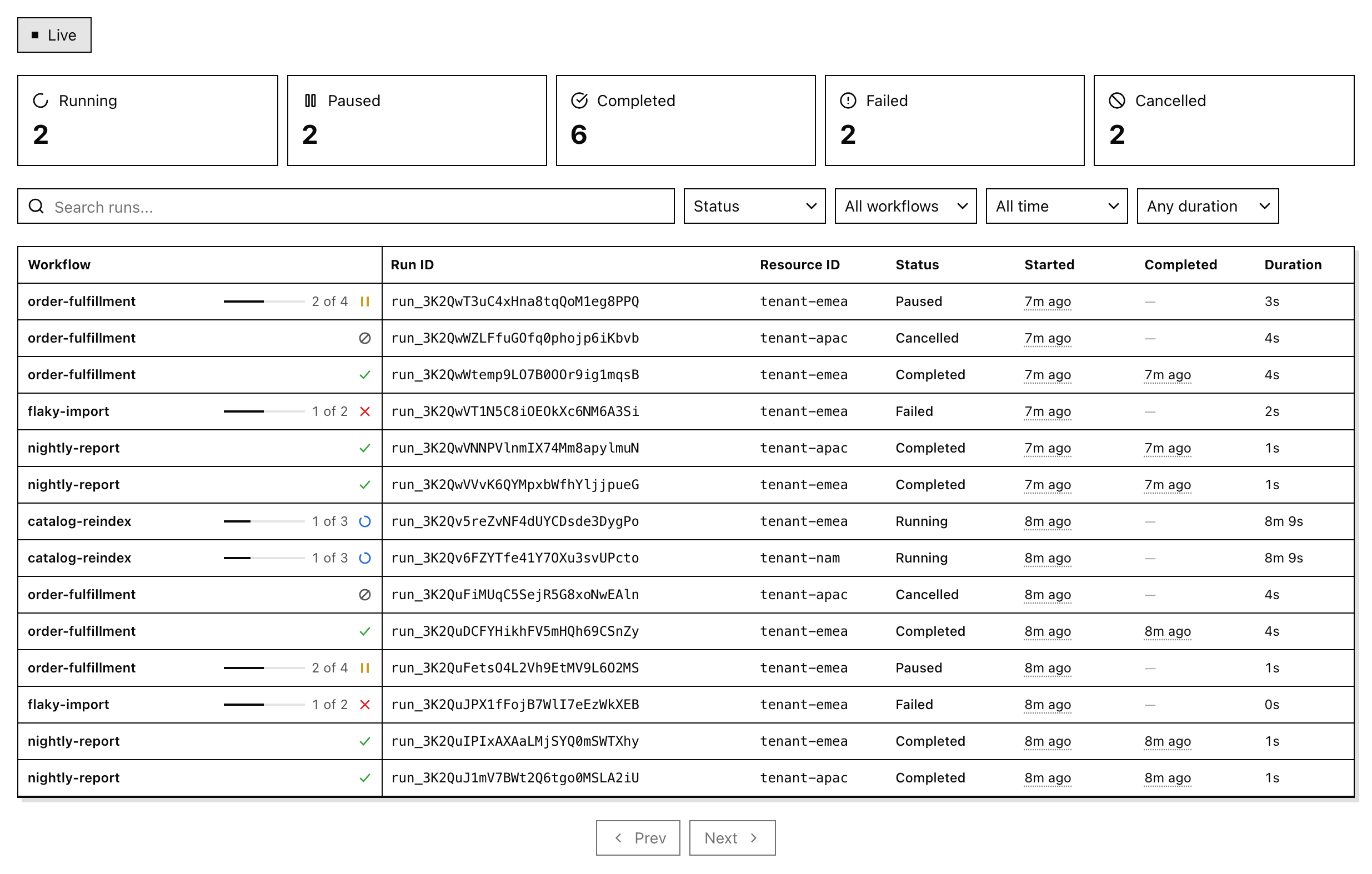
Browse and control runs with the @pg-workflows/ui React dashboard.
React components, hooks, and HTTP adapters for pg-workflows. Render the full dashboard, compose the individual components, or build your own UI on the hooks.
All components are built with Base UI, so they are accessible and accept a render prop to swap the underlying element. See Styling & customization.
Quickstart
npx @pg-workflows/uiOpen http://127.0.0.1:3777.
The CLI connects to postgres://localhost:5432/postgres. To use another database, pass --database-url or set DATABASE_URL:
npx @pg-workflows/ui --database-url=postgres://user:pass@localhost:5432/mydbThe dashboard lists runs and sends lifecycle actions (cancel, pause, resume, fast-forward, trigger). It registers no workflows of its own. On start it runs the engine migrations, so it creates the pg-workflows tables and pg-boss schema in the target database if they are missing. See CLI for every flag and caveat.
Add it to your app
This walkthrough adds the dashboard to a Next.js App Router app with Tailwind CSS v4. For other servers, see Server adapters. examples/dashboard is a complete working app.
1. Install
npm install @pg-workflows/ui @tanstack/react-query pg-workflows pgIf you don't have an app yet, npx create-next-app@latest --ts --tailwind --app creates one with Tailwind v4 and the @/ import alias that the snippets below use.
2. Create one engine per process
// lib/engine.ts
import { WorkflowEngine } from 'pg-workflows'
import { workflows } from './workflows' // your workflow definitions, as an array

// Cache the engine on globalThis. Next re-evaluates modules on hot reload,
// and each new engine opens another pool and another set of workers.
const globalForEngine = globalThis as unknown as { engine?: WorkflowEngine }

export function getEngine() {
  if (!globalForEngine.engine) {
    const connectionString = process.env.DATABASE_URL
    if (!connectionString) throw new Error('DATABASE_URL is not set')
    globalForEngine.engine = new WorkflowEngine({ connectionString, workflows })
  }
  return globalForEngine.engine
}
engine.start() also starts queue workers, so this process executes workflow runs. Register every workflow definition here: a worker that picks up a run for an unregistered workflow fails that job with Workflow <id> not found. Registered definitions also let the runs table show progress against each workflow's total step count.
3. Mount the API with one optional catch-all route:
// app/workflow-runs/[[...path]]/route.ts
import { createAppRouterHandler } from '@pg-workflows/ui/next'
import { getEngine } from '@/lib/engine'

export const { GET, POST } = createAppRouterHandler({ engine: getEngine })
Pass getEngine itself, not getEngine(). The handler calls it when a request arrives, so next build can import the route without a database connection. The first request awaits engine.start().
4. Add the styles to app/globals.css:
@import 'tailwindcss';
@import '@pg-workflows/ui/styles.css';

@source '../node_modules/@pg-workflows/ui/dist';
The @source path is relative to the CSS file. It lets Tailwind generate the utility classes that the components use.
5. Render the dashboard
// app/page.tsx
import { WorkflowRunsDashboard } from '@pg-workflows/ui'

export default function Page() {
  return <WorkflowRunsDashboard baseUrl="/workflow-runs" />
}
Set DATABASE_URL in .env.local, run npm run dev, and open http://localhost:3000.